Nexscan dashboard tour: overview, documents search, opening a PDF, team
The problem
Paperwork has three places to go missing.
The glovebox
A POD that rides around for a week is a POD you cannot invoice.
The camera roll
Photos in text threads have no load number, no tag, and no owner.
The Friday pile
Someone in the office sorts a week of scans by hand and hopes nothing is missing.
How it works
From the cab to the filing cabinet, in one pass.
1
01
Scan it in the cab
The driver picks one of the seven tags, and the phone's native scanner handles edge detection and perspective correction. Multi-page documents compile into a single PDF.
Works with no signal. Uploads queue on the device and send themselves when service returns.
Pick a tag, scan the page, done.
Choose a tag
POD
Fuel Receipts
Scale Tickets
Customs Documents
Repair Invoices
Safety / DVIR
Other Expenses
Scan
Pick a tag, scan the page, done.
2
02
Tag it once, at capture
The driver sets the tag and the load or BOL number at scan time, so nothing arrives unlabelled and nothing has to be sorted later.
Every submitted document returns a confirmation code the driver can show later as proof it was sent.
Every document carries its load number from the moment it is scanned.
Every document carries its load number from the moment it is scanned.
3
03
The office has it immediately
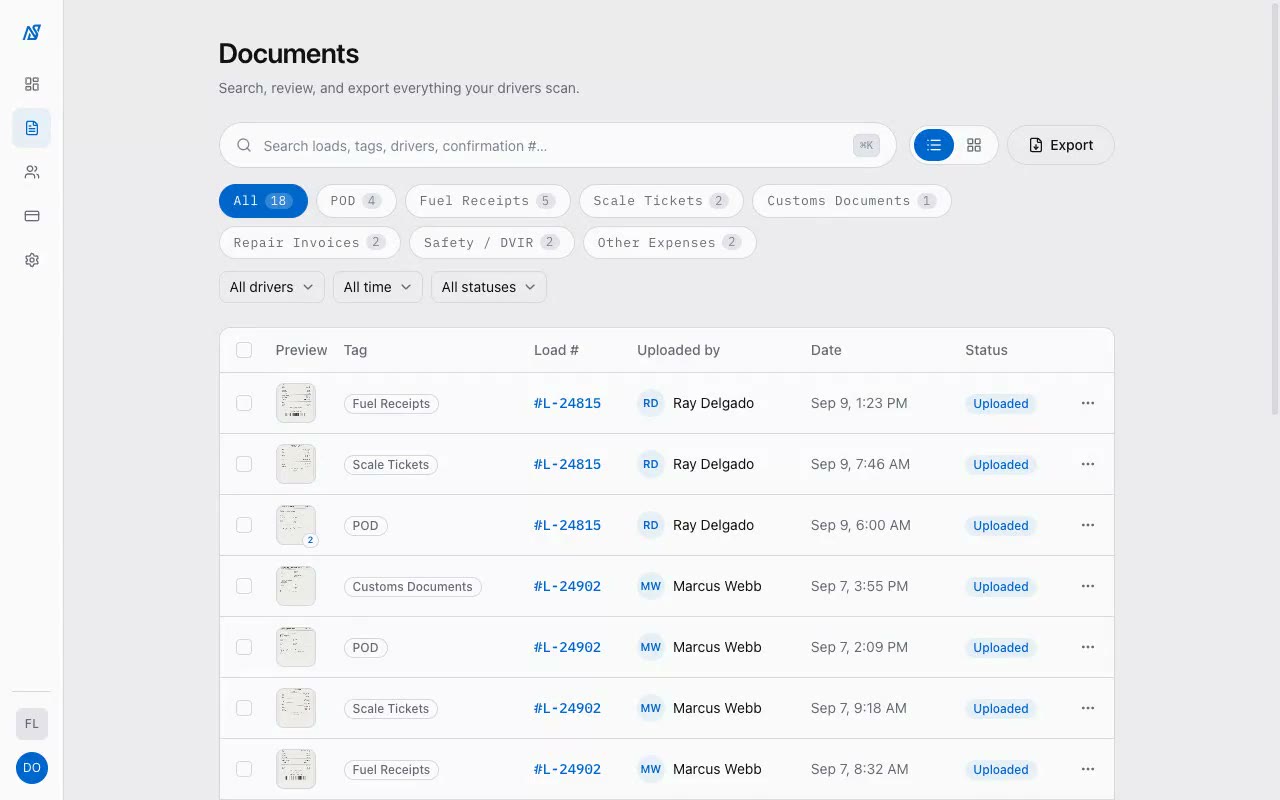
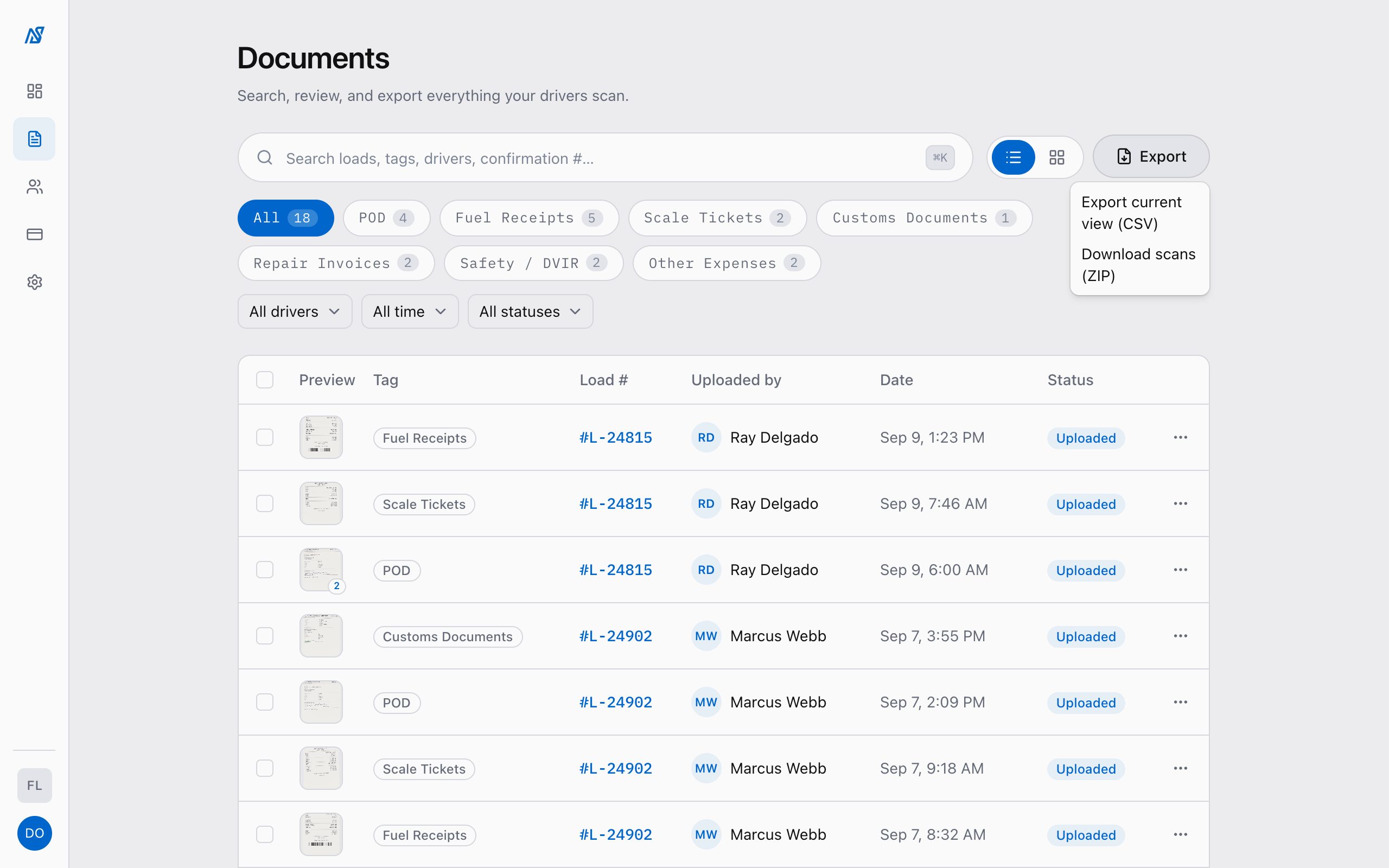
Searchable by load number or confirmation code, grouped so one load's paperwork sits together, exportable as CSV or ZIP.
Retagging and status changes are recorded against the user who made them.
Open any document straight from the list.
Open any document straight from the list.
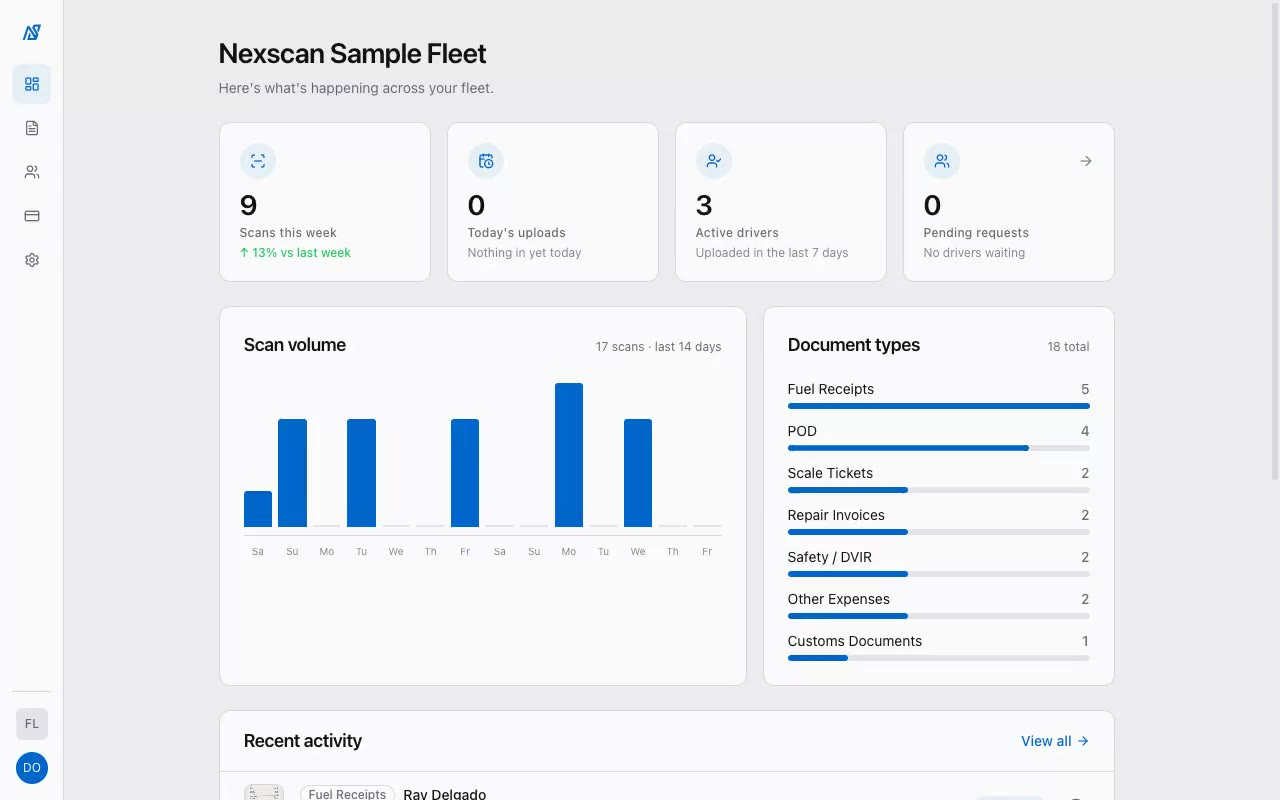
Dashboard
See the whole fleet on one screen.
The overview shows what came in this week, from whom, and how it breaks down by tag. Every retag and status change is recorded against the person who made it.
Scans this week, today's uploads, and active drivers at a glance
Feed of the most recent uploads
Document counts by tag
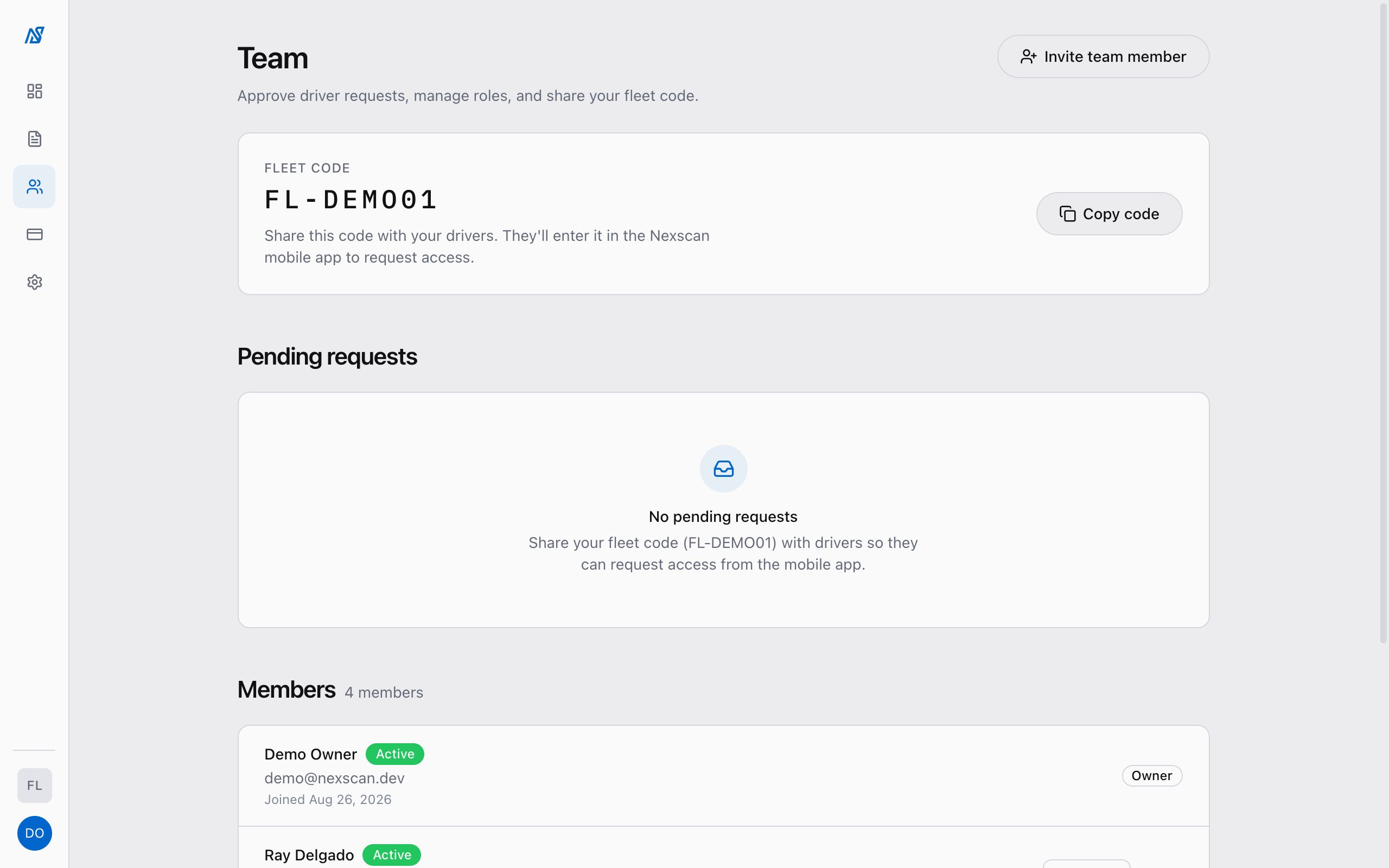
Drivers join with a Fleet ID, not a signup form.
You create the fleet and hand out the code. Drivers scan and see only their own uploads. Office roles decide who can review, retag, and export.
Drivers join by Fleet ID and owner approval. Office roles join by invite only.
Filter to a load, a driver, or a date range, then export the list as CSV or download the scans as a ZIP. Nothing is locked in.
CSV of the current view
ZIP of the original scans
Every upload gets an 8-character confirmation code the driver can quote
Security
Built like a filing cabinet, not a feed.
Nexscan holds paperwork for one fleet at a time, and only that fleet can see it.
Private storage
Scans live in a private bucket. There are no public links.
Short-lived links
Every view and download uses a signed URL that expires.
Fleet-scoped access
Access rules live in the database, not just the app. Fleet data is isolated per fleet by row-level security.
Attributed changes
Retags and status changes carry the user who made them.
Waitlist
Access is by request.
We onboard fleets one at a time. Leave your details and we'll email you when we open yours.
FAQ
Questions fleets ask before they start.
What does Nexscan do?
Drivers scan paperwork on their phone and pick one of seven tags. The office gets a searchable, exportable filing system with every document labelled by driver and date, and by the load number the driver enters at scan time.
What does it not do?
No ELD, no telematics, no dispatch, no messaging, no accounting. It is document capture and organization, and it is meant to sit next to whatever you already run.
How do drivers get set up?
You create the fleet, get a Fleet ID, and give it to your drivers. They join from the app with that code and you approve each request. Drivers cannot join without your Fleet ID, so nobody outside your fleet can get in.
What happens when a driver has no signal?
Scans queue on the phone and upload on their own when service returns. The driver does not have to remember to resend.
Who can see what?
Drivers see only their own uploads. Office roles (dispatcher, accountant, viewer, admin) get permissions the owner sets. Every edit is attributed.
Where are our documents stored?
In private storage scoped to your fleet, accessed through short-lived signed links. There are no public URLs.
Can we get our documents out?
Yes, at any time. Export any filtered view as CSV or download the original scans as a ZIP.
How do I get access?
Access is by request while we onboard fleets one at a time. Join the waitlist and we'll email you when we open your fleet.
What is a confirmation code?
Every submitted document gets an 8-character code the driver can quote as proof it was sent. The office can search by it.
 Nexscan